Earn screen time by walking: does it actually work? (2026)
Willpower and Ignore Limit rarely beat the feed. Making movement the price of social apps changes the trade — if the goal is hittable and the lock is honest.
Direct answer
Yes — for many people — when “earn screen time by walking” means a real lock until steps clear, not a reminder you can dismiss. brb blocks chosen iPhone apps until a daily step goal from Apple Health is met. That is conditional access: walk first, then the apps. Soft Screen Time limits fail when you know the passcode. Minutes-for-steps apps also “earn” access, but as a bank you spend; brb’s daily gate unlocks for the day once. Strict Mode and a once-a-day Emergency Unlock keep the rule readable.
What to do now
- Pick the apps that feel like the reward — usually social feeds.
- Set a daily step goal you can hit before the afternoon disappears.
- Turn on Strict Mode so earning means walking, not tapping Ignore.
- Give it a clean week before you raise the goal.
What not to rely on
- A Screen Time App Limit you can Ignore for Today.
- Promising to walk after the feed is already open.
- A goal so high you “earn” access by hunting for a bypass.
Why conditional access beats restriction theater
Pure restriction says no. Conditional access says yes — after a cost. Walking is a cost you can pay without inventing a new personality. The feed stays desirable; the price changes.
That is why walk-to-unlock sticks longer than grayscale or a soft banner for a lot of people. The phone still works. The dopamine apps wait.
Daily gate vs earning minutes
Some apps convert steps into a bank of scroll minutes. That can work if you like rationing. It can also feel like a debit card you empty in bed.
brb uses a daily gate: hit the goal once, then chosen apps unlock for the day. One cover charge. Simpler to explain, harder to nickel-and-dime.
What to expect in week one
Day one feels annoying. That is the point. If the goal is near your average, you will unlock by walking a route you already almost take. If you miss three days straight, lower the number before you delete the app.
Emergency Unlock remains for real urgency: five minutes, once per day. Spend it on scrolling and you have spent the exception.
How brb does it
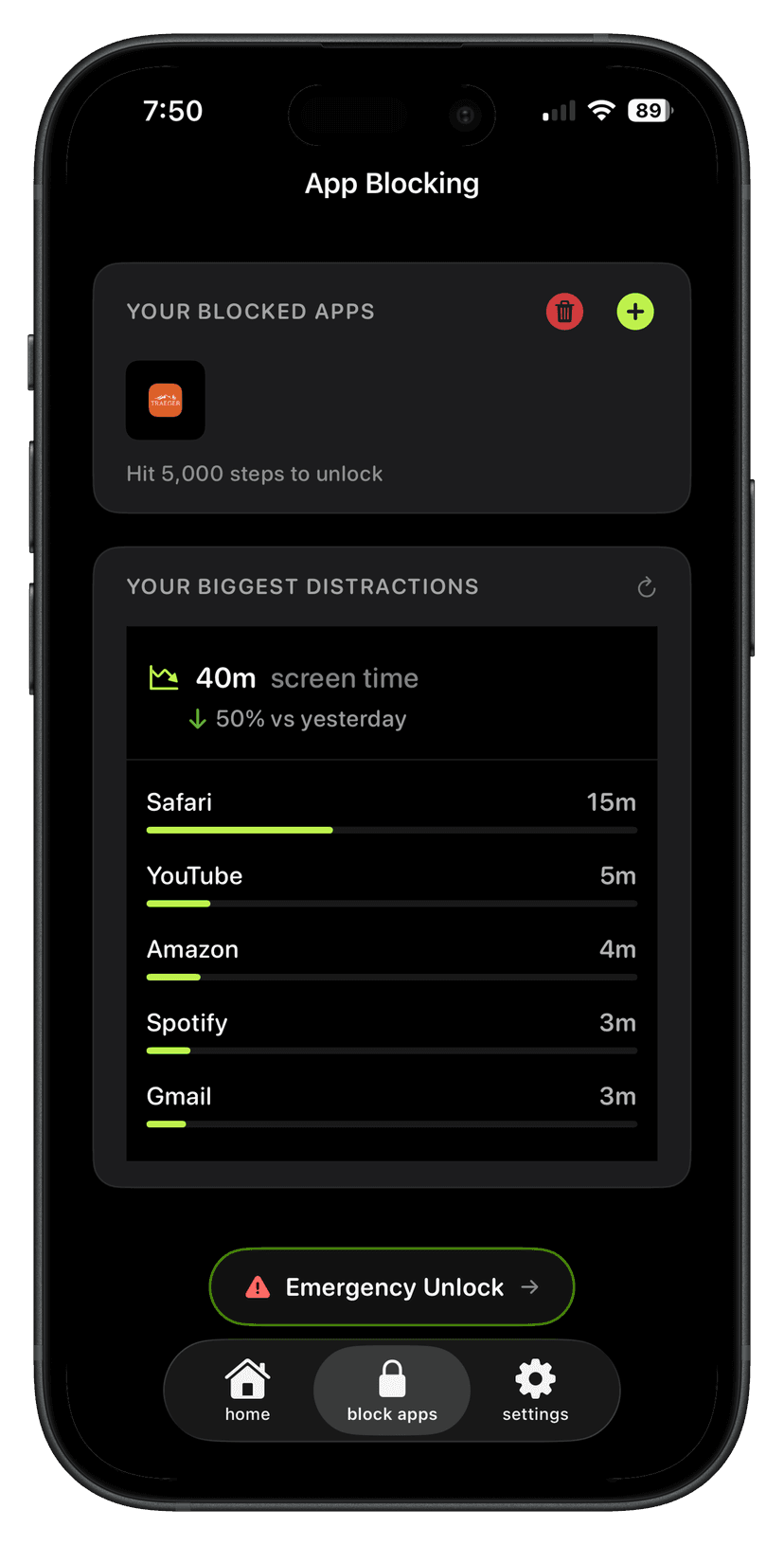
Step 1
Block the apps
Pick the ones that take the time. brb can show them ranked by screen time.
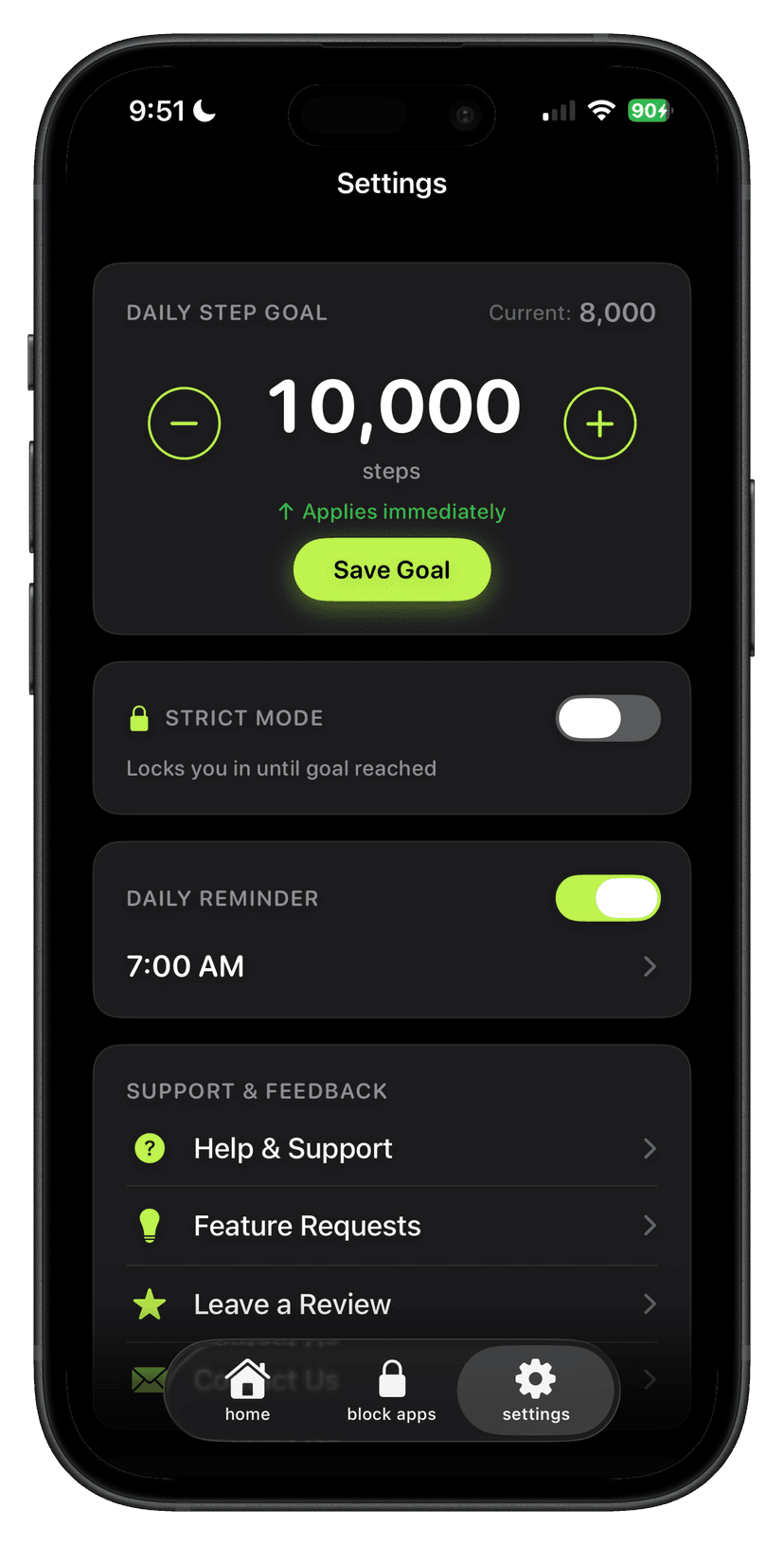
Step 2
Set the step goal
The apps stay locked until that number is real.
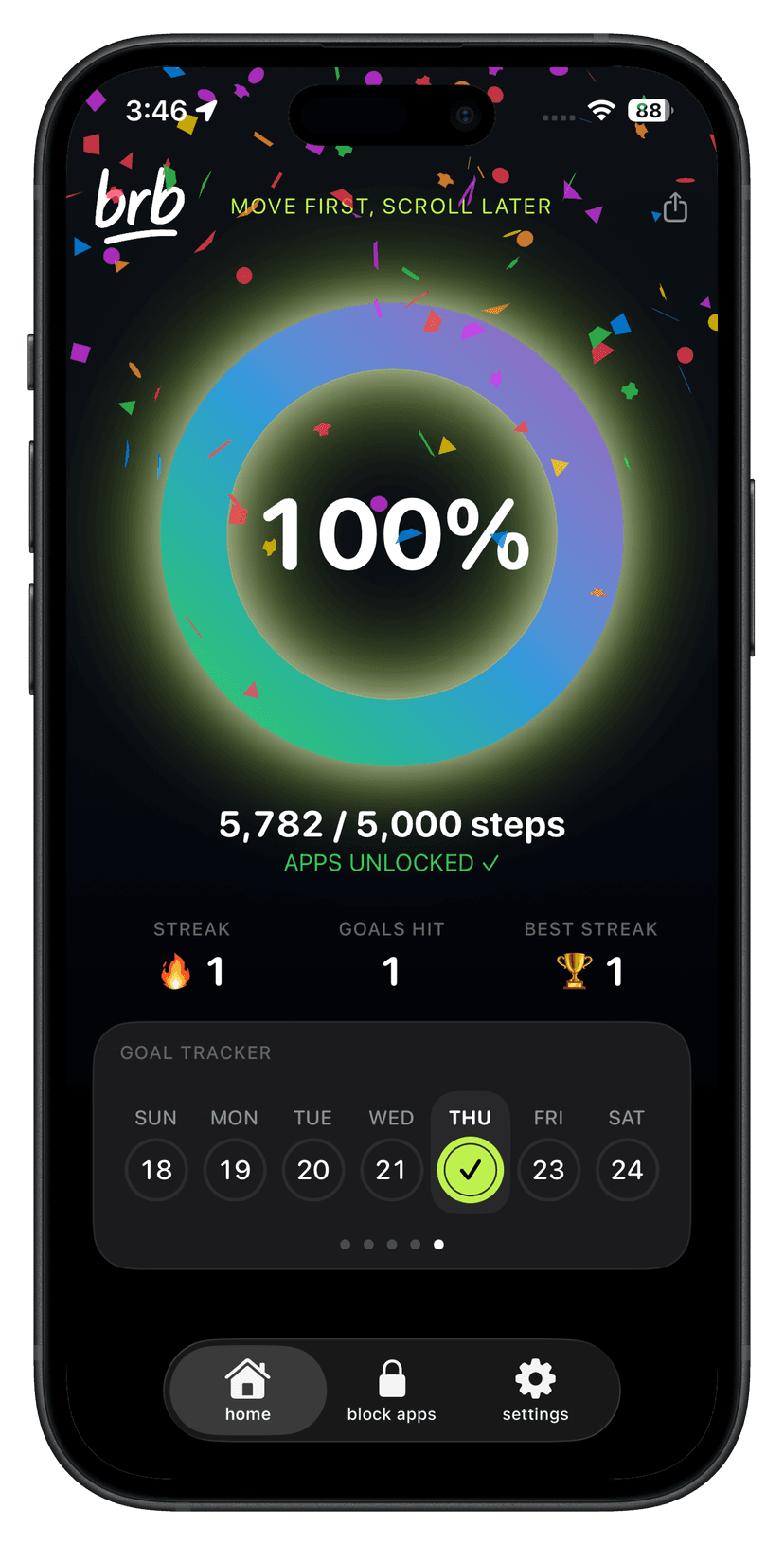
Step 3
Walk to unlock
The ring fills as you move. Hit it and the apps open. Miss it and they stay locked.
Setup checklist
- Block the reward apps in brb.
- Set a hittable step goal.
- Enable Strict Mode.
- Walk to earn the unlock.
Questions
Does earning screen time by walking actually work?
It works when the lock is real and the goal is hittable. Soft limits you can ignore do not count as earning.
Is brb a minutes-for-steps app?
No. brb unlocks chosen apps for the day after a daily step goal. Minutes banks are a different model — see brb vs Pushscroll.
What if I need an app urgently?
Emergency Unlock opens locked apps for five minutes, once per day.